The Pebble Time 2 is a smartwatch that is the spiritual successor to the original Pebble smartwatch. The original Pebble was funded through Kickstarter in 2012, and was notable for using an E-Ink display like the Amazon Kindle does instead of a full LCD - which means it could have a battery life that lasted multiple weeks. Pebble eventually released additional products, like the Pebble Time which used a color E-Paper display instead of purely black and white, and the company was eventually sold to Fitbit (who were later sold to Google). Eric Migicovsky, the original founder of Pebble, created a new Kickstarter for the Pebble Time 2 through a new company, Core Devices, in 2025, for the Pebble Time 2: an updated Pebble Time with a higher display resolution and more hardware resources, and using a fork of the original Pebble firmware which was open sourced by Google at the request of the Pebble community.
I never had any of the original Pebble watches, but thought they were really cool when I was younger, and had the idea in the back of my head to buy one of them off eBay to mess with for a while. When I saw the new Kickstarter I decided to back it as an excuse to finally get one. My Pebble Time 2 arrived in March of 2026, and it’s definitely pretty cool! I quickly hacked up a Pokemon Go style app that will spawn random pokemon based on step count, using the local weather and time of day, which was surprisingly easy. The Pebble SDK is just C for the watch-side and JavaScript for the phone-side, and makes it very quick to throw together.
A week or two ago I found my old 3DS, though, and discovered that it still had my copy of Pokemon Mystery Dungeon Explorers of Sky in it. PMD Explorers is what I considered my favorite video game of all time, but thinking about it I hadn’t actually played it in probably 10 years. I decided to play through a rom hack for it to mix things up (it turns out homebrew for the 3DS is very easy these days), and settled on Explorers of Fortune. It turns out, yup: it’s still a really good game. The art style and all the spritework is extremely charming and so, so much better than the modern 3D pokemon games, and crawling through randomly generated dungeons as pokemon is still really fun. There’s a surprisingly large fan community for Pokemon Mystery Dungeon still after all of these years specifically because they nailed the art style so well - there are fan-created sprites and character portraits for most of the pokemon of later generations, and between them and custom fan-made tooling like SkyTemple romhacks like Explorers of Fortune are able to add hundreds of new pokemon to the original Explorers of Sky.
I remembered seeing that one of the apps that was released for the Pebble Time 2, taking advantage of its additional hardware resources, was PokePets which uses the pokemon and dungeon sprites from Pokemon Mystery Dungeon for a Tamagotchi-style virtual pet. After getting back on a Mystery Dungeon kick, I found that one of the SkyTemple developers also made a cute Time Gear watchface using ripped background assets, which I used on my watch for a while.
I eventually decided that it would be cool if I could have the pokemon sprites from Mystery Dungeon on a watchface, but with the full movement sheets instead of just standing in place like the PokePets watchface does. I remembered that Pokemon Mystery Dungeon: Red and Blue Rescue Team, the original Pokemon Mystery Dungeon that Explorers is a sequel to, had a bunch of “friend areas”: when you recruit a pokemon to your adventure team, they go hang out in an overworld section that is thematically themed similar to them. In fact, RBRT had 54 different friend areas! I could have a watchface that cycled randomly through the friend areas and then have a pokemon wander around.
There are a few issues with this plan. For one, the Pebble Time 2, despite having more hardware resources than the original, is still a watch. It has a 240MHz ARM processor, 128kB of RAM available for apps, and a 200x228 64 color display. While practically extravagant compared to a lot of MCUs, that’s still not that much memory! Just a 200x288 bitmap being stored in memory will consume 45kB of your RAM, for example. I initially tried having the friend area backgrounds (lovingly downloaded from Bulbapedia) all stored on the Pebble, and then cropped in software to a random subset before displaying on the watch - and immediately started OOM’ing. Oops.
My Pokemon Go app, however, already had code to stream PNGs from the phone-side JavaScript to the watch, because I wanted to support all of the pokemon I could and hit similar resource constraints; there simply isn’t enough flash or ROM to store all of the sprites. For the friend areas I decided to instead go further and have them be processed by a webserver I host on my VPS, and have the phone-side code do a web request to fetch the cropped PNG directly instead of trying to crop the background to the Pebble-size bitmap in JavaScript. Doing this I was able to start getting random crops of the friend area showing up on the Pebble, which was a good first step. I had the friend areas be cached in persist storage and only get cycled every 6 hours, so that it doesn’t need internet or to do PNG decoding (which increases RAM highwater usage) most of the time
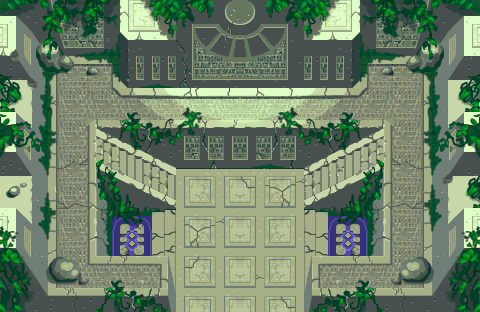
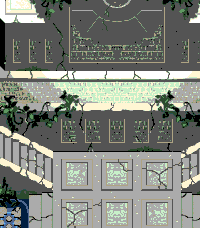
Original PNG for Ancient Relic, and it cropped + quantized for a Pebble
I wanted to have the pokemon sprite walk around the friend area, though. Since I was already doing cropping on the webserver, I also manually drew collision masks for a bunch of friend areas, and had the Rust webserver also do some random pathfinding on the cropped area. It would use the collision mask to compute the walkable space for the pokemon sprite, and then pick random coordinates and compute A* pathfinding between them, decompose the path into short straight line segments, and send those as waypoints to navigate between to the app. Then when the minute changes on the watchface, or in response to the watch being shaken, the pokemon can walk to the next waypoint and display their walkcycle. This ended up working not that well, with the A* paths being mostly straight lines and not very “interesting”, so I eventually moved to Delaunay triangulation of the walkable space, and then pathfinding between vertexes so that the pokemon “wanders” a bit better.
For the actual pokemon sprite sheet, I’m currently storing all of those on the watch in flash. All of the PMD Collab sprites are hosted on GitHub, so pulling them all out and embedding them as bitmap resources in the watchface is easy. Each walking spritesheet is still pretty big, unfortunately: right now the watchface will still occasionally OOM, which I handle by just throwing away bitmaps and picking a random different pokemon or friend area BG, which works well enough. There are two limitations: one, Pebble apps are restricted to only 255 flash resources! There are more than 255 pokemon, so I currently have the build script pick a random ~230 subset of the pokemon to use as the random set to pull from. That means I can’t actually show every pokemon randomly without occasionally updating the app on my watch, but it’s not a huge deal. Two, Pebble apps are restricted to 256kB of resources! This is, funnily enough, actually only enforced for the app store and so sideloading my watchface from the SDK means I can still have as many pokemon as fit in the resources limit.
An alternative approach would be to store all of the pokemon sprites on the phone-side app, and then download them to the watch similar to the friend area background. I think this would probably work fine, and I’ll probably try it later; I’d have to see if there is enough persist storage available in the app, since that is likewise also limited and the friend area bitmap being persisted is already using a lot.
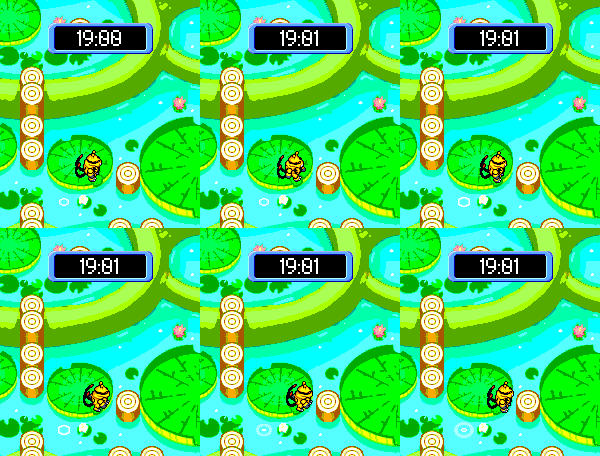
With that and code for drawing the PMD textboxs from PebbleTimeGear, I had a working watchface! It would show a random pokemon, with working walkcycle, and they would wander around the friend areas. The Pebble has a more limited set of only 64 different colors it can display, which means that pixelart’s colors get a bit crushed compared to the original game, but on an actual watch it looks pretty good with only a few exceptions. However, in-game friend areas also had a few other additional effects, which it was lacking. The Nintendo GameBoy and DS were very limited by hardware, but still had animations that would play in some friend areas. One of these effects were used to animate things like the tide rolling in and out, and took advantage of the GameBoy color palette hardware: the original friend area backgrounds use bitmaps that have each pixel map to a palette color, and they would swap out the current palette across frames in order to swap which color pixels would be drawn as! This is a very efficient animation style, because you don’t have to store entire copies of the background bitmap which would blow our RAM limits. The ripped Bulbapedia friend area images no longer have the palette data information needed to draw the animated color palettes. Luckily, it turns out there’s a GitHub decompilation project for Red and Blue Rescue Team, which includes the raw assets for the friend areas as well as the reverse engineered code to draw them, and to render the palette animations! I was able to swap from the Bulbapedia assets to use the original ones with a fairly simple preprocessor script that will draw each friend area to a bitmap, and then also collect the N different color palettes.1
Putting this together on the Pebble…didn’t work. The Pebble has 64 fixed colors instead of the GameBoy’s full 256 colors with limited palette entries, and so the hardware doesn’t actually use any palettes for bitmaps. The actual framebuffer bytes are quantized colors, not palette entries, so you can’t cycle the palette independently of the bitmap pixels, and don’t have enough resources to try dynamically doing the palette conversion directly on the Pebble as the palette swap.
I ended up coming up with a horrible hack, but one that works. In the build step, when I am processing the original game assets to bitmaps, I have an additional step that replaces bitmap pixels that use animated palette colors with sentinel values - using the alpha channel. The Pebble has 64 colors, but bitmaps use a full byte for each pixel because you have alpha bits! I map each unique palette entry to a unique byte with alpha set, which prevents them from being crushed together during quantization, and then on the Pebble when rendering the bitmap modify the framebuffer after copying the bitmap into it, replacing each byte that has alpha set with the corresponding palette color. This ends up actually working, and with it all put together I can cycle a few animated color frames while the pokemon walks around for extra environment effects!
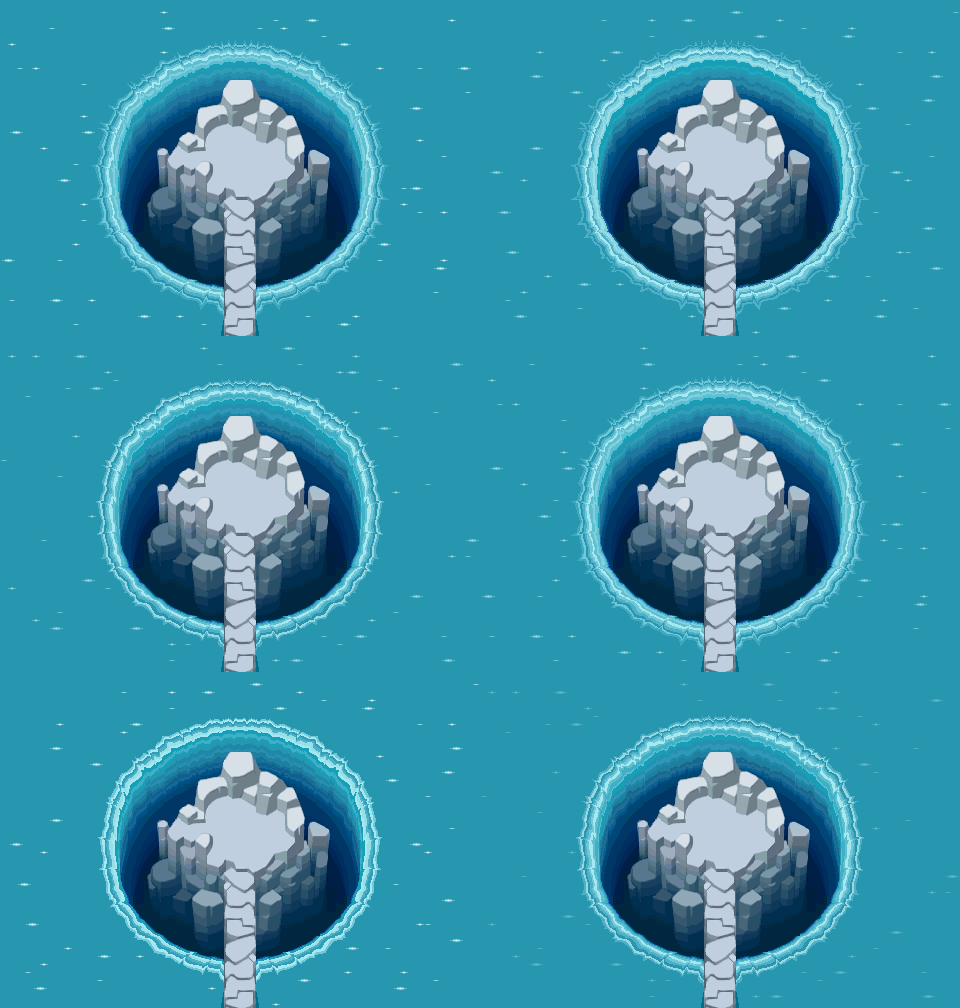
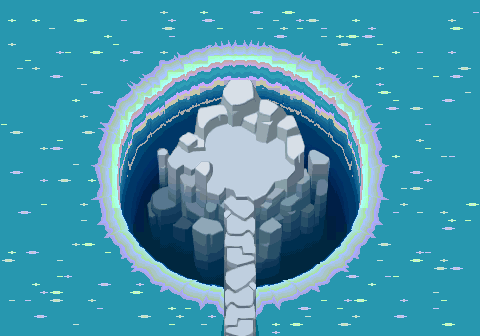
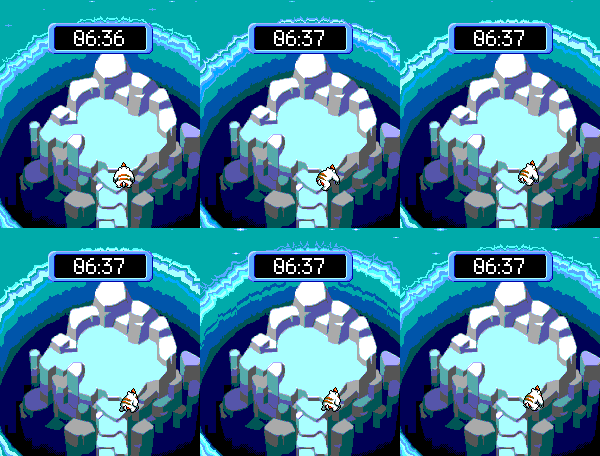
Getting the waterfall for Enclosed Island working again is one of the best parts
I’ve been using this as my watchface for a few weeks at this point, and I still find it very cute to look down at my wrist and see a random pokemon walk around a cool location each time.
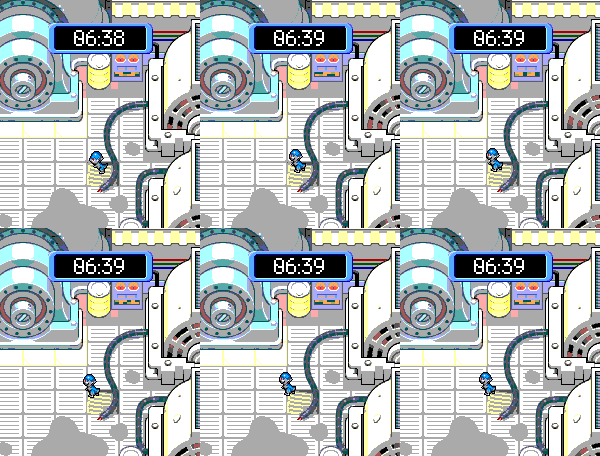
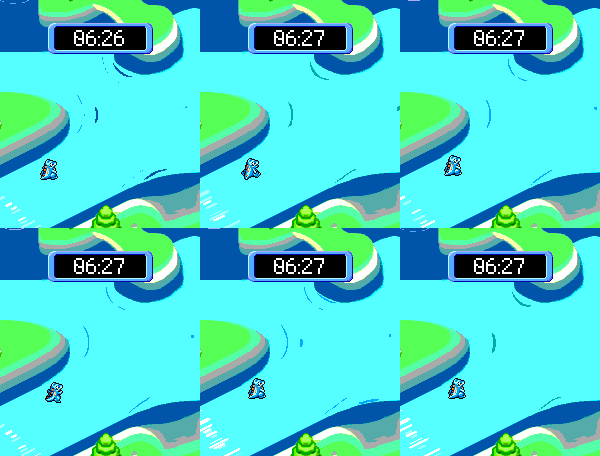
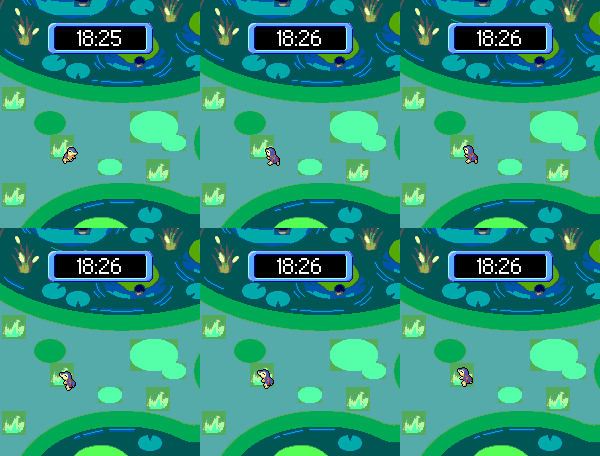
Since this is all very generic and all the processing works on the webserver backend, it’s also really easy to add more backgrounds in the future. I plan on adding more overworld maps, like Treasure Town or the different starter houses from Red and Blue Rescue Team, which are mostly the same data format - and in the future, hopefully also add some overworld backgrounds from Pokemon Mystery Dungeon Explorers of Sky as well.
Footnote:
-
The original game stores assets compressed and with a chunking scheme to reuse sprite sections. Like the Bulbapedia ripped PNGs, the PMD Collab spritesheets aren’t really designed for resource constrained devices unlike the original game assets, and since I’m now preprocessing assets to extra the friend area backgrounds, I could also probably preprocess the sprite sheets to trim them down and either fit more in ram, or put all the data in flash resources instead of 1 per resource which hits the resource limit - but I haven’t done that yet. ↩